
Understanding how to use adjectives effectively is crucial for describing computers and their various aspects. Whether you’re writing a technical review, comparing different models, or simply discussing your favorite device, adjectives help paint a vivid and precise picture.
This article will delve into the world of adjectives used to describe computers, covering their types, usage rules, common mistakes, and providing ample examples and practice exercises. This guide is perfect for students, tech enthusiasts, and anyone looking to enhance their descriptive vocabulary related to technology.
By mastering the art of using adjectives, you can communicate more clearly and effectively about computers, ensuring your message is both informative and engaging. This comprehensive guide will equip you with the knowledge and skills to confidently describe the features, performance, and overall characteristics of computers in any context.
Table of Contents
- Definition of Adjectives for Computers
- Structural Breakdown
- Types and Categories of Adjectives
- Examples of Adjectives for Computers
- Usage Rules for Adjectives
- Common Mistakes with Adjectives
- Practice Exercises
- Advanced Topics
- Frequently Asked Questions
- Conclusion
Definition of Adjectives for Computers
An adjective is a word that modifies a noun or pronoun, providing more information about it. When describing computers, adjectives play a vital role in specifying the characteristics, features, and qualities of the device.
They help to create a clearer and more detailed picture for the reader or listener. Adjectives can describe physical attributes, performance capabilities, software features, or even subjective opinions about a computer.
In the context of computers, adjectives can be classified based on their function. Some adjectives are descriptive, focusing on physical attributes like sleek, compact, or durable. Others are technical, relating to specifications like high-speed, dual-core, or gigabyte. Finally, some adjectives are evaluative, expressing opinions or judgments such as reliable, user-friendly, or expensive. Understanding these classifications can help you choose the most appropriate adjective for a given situation.
The function of adjectives is to add detail and precision to your descriptions. Instead of simply saying “a computer,” you can say “a powerful computer” or “a portable computer.” This added information allows for a more nuanced and informative discussion. Adjectives also help to differentiate between different types of computers, highlighting their unique strengths and weaknesses. By using adjectives effectively, you can significantly improve the clarity and impact of your communication about computers.
Structural Breakdown of Adjectives
The structure of adjectives in English is relatively straightforward. Most adjectives precede the noun they modify, as in “a fast processor” or “a large screen.” However, adjectives can also follow linking verbs such as be, seem, appear, and become, for example, “The computer is efficient” or “The software seems stable.”
Adjectives can also be modified by adverbs to further refine their meaning. For example, you might say “an incredibly fast computer” or “a slightly outdated program.” Adverbs like very, extremely, slightly, and incredibly can intensify or soften the impact of the adjective.
Another important structural aspect is the use of compound adjectives. These are adjectives formed by combining two or more words, often with a hyphen. Examples include “state-of-the-art technology” and “user-friendly interface.” Compound adjectives function as single units and provide a more concise way to express complex ideas. Understanding these structural patterns will help you use adjectives more accurately and effectively when describing computers.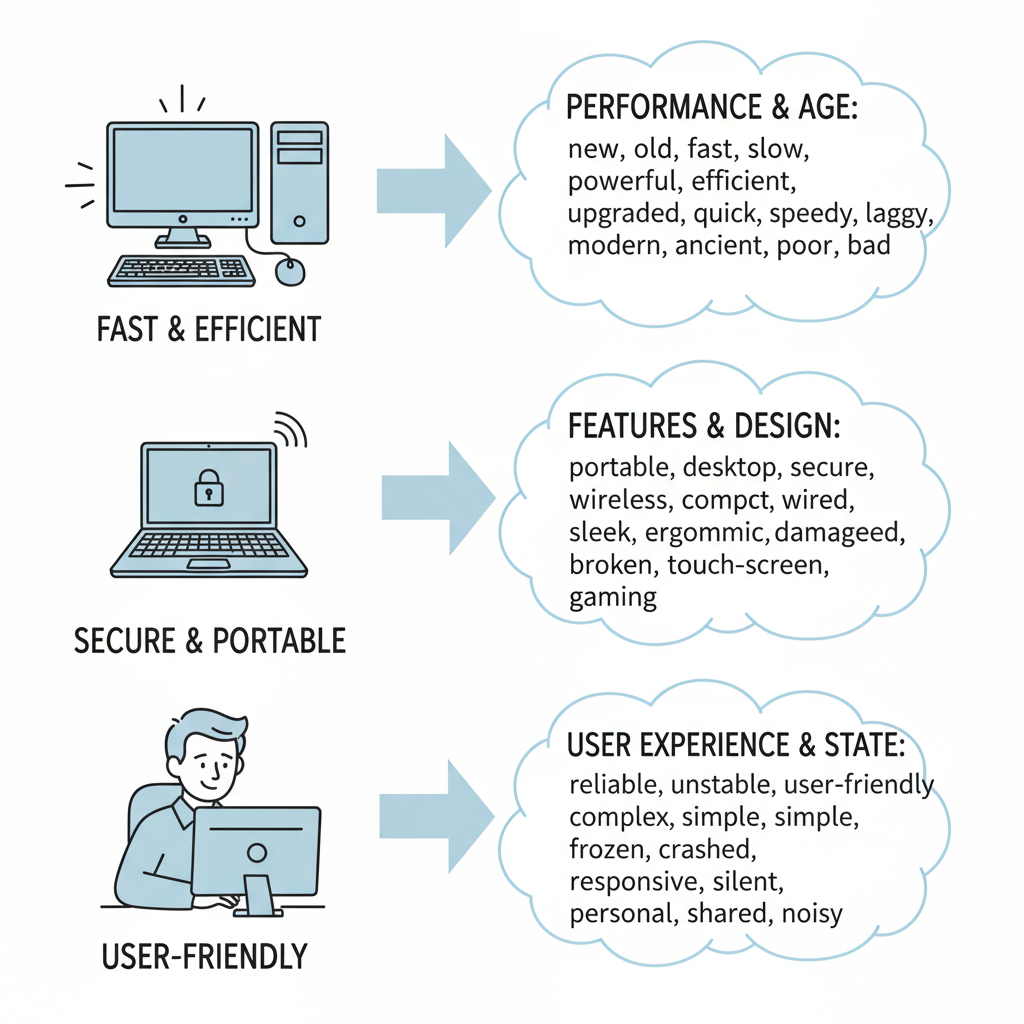
Types and Categories of Adjectives
Descriptive Adjectives
Descriptive adjectives are used to describe the physical characteristics or qualities of a computer. These adjectives help create a visual image of the device in the reader’s mind.
They can refer to size, shape, color, material, and other tangible aspects.
For instance, you might use adjectives like sleek, compact, lightweight, durable, or metallic to describe the physical appearance and build quality of a computer. These adjectives provide concrete details that help the reader understand what the computer looks and feels like. Descriptive adjectives are essential for providing a comprehensive and engaging description of a computer.
Technical Adjectives
Technical adjectives are used to describe the specifications and capabilities of a computer. These adjectives are often related to hardware components, software features, and performance metrics.
They provide precise information about the technical aspects of the device.
Examples of technical adjectives include high-speed, dual-core, gigabyte, wireless, touchscreen, and SSD (Solid State Drive). These adjectives convey specific details about the processor, memory, storage, connectivity, and other technical features of the computer. Technical adjectives are crucial for conveying accurate and detailed information to a technical audience.
Evaluative Adjectives
Evaluative adjectives express opinions or judgments about a computer. These adjectives reflect the speaker’s or writer’s subjective assessment of the device.
They can refer to performance, usability, value, and other subjective qualities.
Common evaluative adjectives include reliable, user-friendly, efficient, expensive, innovative, and overrated. These adjectives convey a sense of the speaker’s or writer’s perspective on the computer. Evaluative adjectives are important for expressing opinions and providing recommendations.
Comparative and Superlative Adjectives
Comparative adjectives are used to compare two computers, while superlative adjectives are used to compare three or more. These forms allow you to highlight the relative qualities of different devices.
Comparative adjectives are typically formed by adding “-er” to the end of the adjective (e.g., faster, smaller) or by using “more” before the adjective (e.g., more efficient, more expensive). Superlative adjectives are formed by adding “-est” to the end of the adjective (e.g., fastest, smallest) or by using “most” before the adjective (e.g., most efficient, most expensive). Comparative and superlative adjectives are essential for comparing and contrasting different computers.
Examples of Adjectives for Computers
The following tables provide a wide range of examples of adjectives used to describe computers, categorized by type. These examples will help you expand your vocabulary and understand how to use adjectives effectively in different contexts.
Table 1: Descriptive Adjectives for Computers
This table showcases descriptive adjectives that highlight the physical qualities of computers, such as size, shape, material, and appearance. These adjectives help create a vivid picture of the computer’s physical presence.
| Adjective | Example Sentence |
|---|---|
| Sleek | The new laptop has a sleek design that is both modern and attractive. |
| Compact | This compact desktop is perfect for small office spaces. |
| Lightweight | The lightweight tablet is easy to carry around all day. |
| Durable | This durable laptop is built to withstand daily wear and tear. |
| Metallic | The metallic finish gives the computer a premium look and feel. |
| Glossy | The glossy screen enhances the vibrancy of the colors. |
| Matte | The matte finish reduces glare and makes the screen easier to read. |
| Slim | The slim profile of the ultrabook makes it highly portable. |
| Robust | The robust casing protects the computer from accidental damage. |
| Ergonomic | The ergonomic keyboard provides a comfortable typing experience. |
| Stylish | The stylish computer case is a real eye-catcher. |
| Portable | This portable computer is perfect for travelers. |
| Elegant | The elegant design makes it a stylish addition to any desk. |
| Sturdy | The sturdy build ensures it can handle heavy use. |
| Modern | Its modern design fits well in contemporary offices. |
| Attractive | The attractive design makes it appealing to many users. |
| Refurbished | The refurbished computer works like new. |
| Vintage | The vintage computer is a collector’s item. |
| Bulky | The bulky desktop is powerful but not portable. |
| Sleek | The sleek design reflects modern technology. |
| Customizable | The customizable computer allows for personalized configurations. |
| Miniature | The miniature computer takes up very little space. |
| Streamlined | The streamlined design enhances its aesthetic appeal. |
| Polished | The polished surface gives it a refined look. |
| Artistic | The artistic design makes it stand out from the rest. |
| Industrial | The industrial design is built for tough conditions. |
Table 2: Technical Adjectives for Computers
This table lists technical adjectives that describe the specific capabilities and features of computers. These adjectives provide detailed information about the computer’s hardware and software components.
| Adjective | Example Sentence |
|---|---|
| High-speed | This high-speed processor ensures quick performance. |
| Dual-core | The dual-core processor allows for efficient multitasking. |
| Gigabyte | The computer has a gigabyte of RAM for smooth operation. |
| Wireless | The wireless adapter provides convenient connectivity. |
| Touchscreen | The touchscreen monitor offers intuitive interaction. |
| SSD | The SSD drive significantly improves boot-up times. |
| Bluetooth-enabled | The Bluetooth-enabled computer can easily connect to peripherals. |
| USB-C | The USB-C port allows for fast data transfer. |
| HDMI | The HDMI output enables connection to external displays. |
| Ethernet | The Ethernet port provides a stable network connection. |
| HD | The HD display provides sharp images. |
| 4K | The 4K monitor offers stunning visuals. |
| Optical | The optical drive allows for reading and writing CDs/DVDs. |
| Integrated | The integrated graphics card is sufficient for basic tasks. |
| Dedicated | The dedicated graphics card enhances gaming performance. |
| Multi-core | The multi-core processor handles demanding tasks efficiently. |
| Megapixel | The megapixel camera captures high-resolution images. |
| Terabyte | The terabyte hard drive provides ample storage space. |
| 64-bit | The 64-bit operating system supports large amounts of memory. |
| Programmable | The programmable computer allows for custom applications. |
| Networked | The networked computer can share resources with other devices. |
| Digital | The digital interface offers precise control. |
| Analog | The analog input allows connection of older devices. |
| Virtual | The virtual machine simulates a separate computer environment. |
| Encrypted | The encrypted drive protects sensitive data. |
| Automated | The automated system simplifies complex tasks. |
Table 3: Evaluative Adjectives for Computers
This table presents evaluative adjectives that express opinions and judgments about computers. These adjectives reflect subjective assessments of the computer’s performance, usability, and overall value.
| Adjective | Example Sentence |
|---|---|
| Reliable | This reliable computer rarely experiences crashes or errors. |
| User-friendly | The user-friendly interface makes it easy for beginners to learn. |
| Efficient | The efficient processor conserves battery power. |
| Expensive | This expensive model is targeted at high-end users. |
| Innovative | The innovative features set this computer apart from the competition. |
| Overrated | This computer is overrated and doesn’t live up to the hype. |
| Affordable | This affordable computer is a great value for the price. |
| Powerful | The powerful computer can handle demanding tasks with ease. |
| Versatile | This versatile computer can be used for a variety of purposes. |
| Stable | The stable operating system ensures smooth performance. |
| Secure | The secure system protects against malware and viruses. |
| Advanced | The advanced features cater to experienced users. |
| Basic | The basic model is suitable for everyday tasks. |
| Outdated | The outdated software needs to be updated. |
| State-of-the-art | The state-of-the-art technology is cutting edge. |
| Customizable | The customizable settings allow for personalized experience. |
| Exceptional | The exceptional performance is worth the investment. |
| Mediocre | The mediocre graphics card is a drawback. |
| Impressive | The impressive battery life is a major selling point. |
| Buggy | The buggy software needs further development. |
| Reliable | The reliable performance makes it a great choice. |
| User-friendly | The user-friendly design is easy to navigate. |
| Intuitive | The intuitive interface simplifies complex tasks. |
| Responsive | The responsive system reacts quickly to user input. |
| Consistent | The consistent performance is always reliable. |
| Dependable | The dependable machine always gets the job done. |
Usage Rules for Adjectives
Adjectives typically precede the noun they modify. For example, “a fast computer” or “a reliable system.” This is the most common placement for adjectives in English.
However, adjectives can also follow linking verbs such as be, seem, appear, and become. In these cases, the adjective describes the subject of the sentence. For example, “The computer is fast” or “The system seems reliable.”
When using multiple adjectives to describe a noun, there is a general order to follow: opinion, size, age, shape, color, origin, material, and purpose. For example, “a beautiful large old round blue Chinese wooden box.” This order is not always strictly followed, but it provides a useful guideline.
Coordinate adjectives are adjectives that modify the same noun equally. They are separated by commas. For example, “a fast, reliable computer.” If the adjectives are not coordinate, they should not be separated by a comma. For example, “a fast new computer.”
Certain adjectives are considered non-gradable, meaning they cannot be used in comparative or superlative forms. Examples include unique, perfect, and absolute. It is incorrect to say “more unique” or “most perfect.” However, this rule is often broken in informal speech.
Common Mistakes with Adjectives
One common mistake is using adjectives as adverbs. Adjectives modify nouns, while adverbs modify verbs, adjectives, or other adverbs. For example, it is incorrect to say “The computer runs quick.” The correct sentence is “The computer runs quickly.”
Another common mistake is misusing comparative and superlative forms. Remember to use the comparative form when comparing two items and the superlative form when comparing three or more. For example, it is incorrect to say “This computer is the fastest of the two.” The correct sentence is “This computer is the faster of the two.”
Misplacing adjectives can also lead to confusion. Make sure the adjective is placed close to the noun it modifies. For example, the sentence “I saw a computer on the desk that was broken” is ambiguous. A clearer sentence would be “I saw a broken computer on the desk.”
Using too many adjectives can make your writing sound cluttered and confusing. Choose adjectives carefully and use only those that add significant meaning. Instead of saying “a fast, reliable, and efficient computer,” consider using just one or two of the most relevant adjectives.
Here are some examples of common mistakes and their corrections:
| Incorrect | Correct | Explanation |
|---|---|---|
| The computer is real good. | The computer is really good. | “Real” is an adjective; “really” is an adverb needed to modify “good”. |
| This is the most unique computer. | This is a unique computer. | “Unique” is already absolute and cannot be graded. |
| A expensive computer. | An expensive computer. | ‘An’ is used before words that begin with a vowel sound. |
| The computer runs quick. | The computer runs quickly. | “Quick” is an adjective; “quickly” is an adverb needed to modify “runs”. |
| I saw a computer on the desk that was broken. | I saw a broken computer on the desk. | The adjective “broken” should be placed before the noun it modifies. |
| This computer is more faster than that one. | This computer is faster than that one. | Do not use “more” with adjectives that already have the “-er” suffix. |
Practice Exercises
Test your understanding of adjectives with these practice exercises. Each exercise focuses on different aspects of adjective usage.
Exercise 1: Identifying Adjectives
Identify the adjectives in the following sentences.
| Question | Answer |
|---|---|
| 1. The new laptop is very fast. | new, fast |
| 2. This compact computer is perfect for travel. | compact, perfect |
| 3. The glossy screen enhances the colors. | glossy |
| 4. The reliable system rarely crashes. | reliable |
| 5. The expensive computer has advanced features. | expensive, advanced |
| 6. The wireless mouse is very convenient. | wireless, convenient |
| 7. The sturdy case protects the computer. | sturdy |
| 8. The ergonomic keyboard is comfortable. | ergonomic, comfortable |
| 9. The outdated software needs updating. | outdated |
| 10. The user-friendly interface is easy to navigate. | user-friendly, easy |
Exercise 2: Using Adjectives Correctly
Choose the correct adjective from the options provided.
| Question | Options | Answer |
|---|---|---|
| 1. This is a very ________ computer. | (quick / quickly) | quick |
| 2. The ________ laptop is easy to carry. | (lightweight / lightly) | lightweight |
| 3. The screen is very ________. | (bright / brightly) | bright |
| 4. This is the ________ computer I have ever used. | (faster / fastest) | fastest |
| 5. This computer is ________ than that one. | (expensive / more expensive) | more expensive |
| 6. The ________ design makes it stand out. | (stylish / stylishly) | stylish |
| 7. The ________ performance is impressive. | (consistent / consistently) | consistent |
| 8. It’s an ________ choice for beginners. | (ideal / ideally) | ideal |
| 9. The ________ system protects against viruses. | (secure / securely) | secure |
| 10. The ________ interface is intuitive. | (user-friendly / user-friendlily) | user-friendly |
Exercise 3: Fill in the Blanks
Fill in the blanks with appropriate adjectives.
| Question | Answer |
|---|---|
| 1. The ________ computer is perfect for gaming. | powerful |
| 2. This ________ laptop has a long battery life. | efficient |
| 3. The ________ screen provides vibrant colors. | glossy |
| 4. This is a very ________ computer for the price. | affordable |
| 5. The ________ keyboard is comfortable to use. | ergonomic |
| 6. The ________ software needs to be updated. | outdated |
| 7. This ________ computer is a great value. | reliable |
| 8. The ________ design is modern and sleek. | stylish |
| 9. This ________ computer is easy to transport. | portable |
| 10. The ________ performance is extremely impressive. | consistent |
Advanced Topics in Adjective Usage
For advanced learners, exploring more nuanced aspects of adjective usage can further refine their writing and communication skills.
Attributive vs. Predicative Adjectives: Attributive adjectives precede the noun they modify (e.g., “a fast computer”), while predicative adjectives follow a linking verb (e.g., “The computer is fast“). Understanding the difference allows for more varied sentence structures.
Order of Adjectives: When using multiple adjectives, the order generally follows the sequence: opinion, size, age, shape, color, origin, material, and purpose. However, skilled writers often manipulate this order for stylistic effect.
Intensifiers: Adverbs like very, extremely, incredibly, and slightly can be used to intensify or soften the meaning of adjectives. Mastering the use of intensifiers adds depth and precision to your descriptions.
Figurative Language: Adjectives can be used in figurative language such as metaphors and similes to create vivid and imaginative descriptions. For example, “The computer was as slow as molasses” uses the adjective slow in a simile.
Nominalization: This involves turning adjectives into nouns. For example, “the reliable” can refer to reliable computers or systems in general. This technique can add sophistication to your writing.
Frequently Asked Questions
Here are some frequently asked questions about using adjectives to describe computers.
Q1: What is the best way to choose the right adjective for a computer?
A1: Consider the specific aspect of the computer you want to describe. Are you focusing on its physical appearance, technical specifications, or overall performance?
Choose an adjective that accurately and effectively conveys the intended meaning. Refer to the categories of descriptive, technical, and evaluative adjectives for guidance.
For example, use “sleek” for appearance, “high-speed” for performance, and “reliable” for overall quality.
Q2: Can I use multiple adjectives to describe a computer?
A2: Yes, you can use multiple adjectives, but be mindful of the order and avoid using too many, which can clutter your writing. Generally, follow the order: opinion, size, age, shape, color, origin, material, and purpose. For example, “a beautiful, large, new, silver laptop.” Choose only the most relevant adjectives to avoid redundancy.
Q3: How do I avoid common mistakes with adjectives?
A3: Pay attention to the correct usage of adjectives versus adverbs. Adjectives modify nouns, while adverbs modify verbs, adjectives, or other adverbs.
Also, be careful with comparative and superlative forms, ensuring you use the correct form when comparing two or more items. Proofread your writing carefully to catch any errors.
Q4: Are there any adjectives I should avoid using?
A4: Avoid using vague or overly general adjectives that don’t provide specific information. For example, instead of saying “a good computer,” try to be more specific with adjectives like “reliable,” “efficient,” or “user-friendly.” Also, avoid using adjectives that are subjective or biased unless you are expressing a personal opinion.
Q5: How can I improve my vocabulary of adjectives for computers?
A5: Read technical reviews, computer product descriptions, and technology articles to expose yourself to a wide range of adjectives used in the context of computers. Take note of the adjectives that are used effectively and try to incorporate them into your own writing.
Use a thesaurus to find synonyms for common adjectives to add variety to your vocabulary.
Q6: What’s the difference between descriptive and evaluative adjectives when describing computers?
A6: Descriptive adjectives provide factual details about the computer’s physical attributes or technical specifications, such as “sleek design” or “high-speed processor”. Evaluative adjectives, on the other hand, express opinions or judgments, like “user-friendly interface” or “reliable performance.” Descriptive adjectives aim for objectivity, while evaluative adjectives are subjective.
Q7: How can I use comparative and superlative adjectives effectively when comparing computers?
A7: Use comparative adjectives (ending in “-er” or with “more”) to compare two computers, for example, “This laptop is faster than that one.” Use superlative adjectives (ending in “-est” or with “most”) to compare three or more, such as, “This computer is the fastest in the market.” Ensure the comparison is clear and relevant to the qualities you are highlighting.
Q8: Can adjectives be used to describe software as well as hardware?
A8: Yes, adjectives can effectively describe software. For instance, you might describe software as “user-friendly,” “intuitive,” “stable,” or “efficient.” When describing software, adjectives focus on its functionality, usability, and performance characteristics.
Conclusion
Mastering the use of adjectives for describing computers is a valuable skill for anyone involved in technology, whether as a student, professional, or enthusiast. By understanding the different types of adjectives, their usage rules, and common mistakes to avoid, you can communicate more clearly and effectively about computers.
Remember to choose adjectives carefully, considering the specific aspect of the computer you want to describe. Use a variety of adjectives to add depth and precision to your writing.
Practice using adjectives in different contexts to improve your fluency and confidence. With consistent effort, you can become a skilled and articulate communicator about all things related to computers.
By incorporating these tips and continuously practicing, you’ll be able to describe computers with precision and flair.